Mac app updates.One calmer place.
Verscout discovers, tracks, and updates software across Homebrew, App Store, standalone feeds, and native vendor updaters. It prioritizes compatibility, trust checks, and the safest available update path.
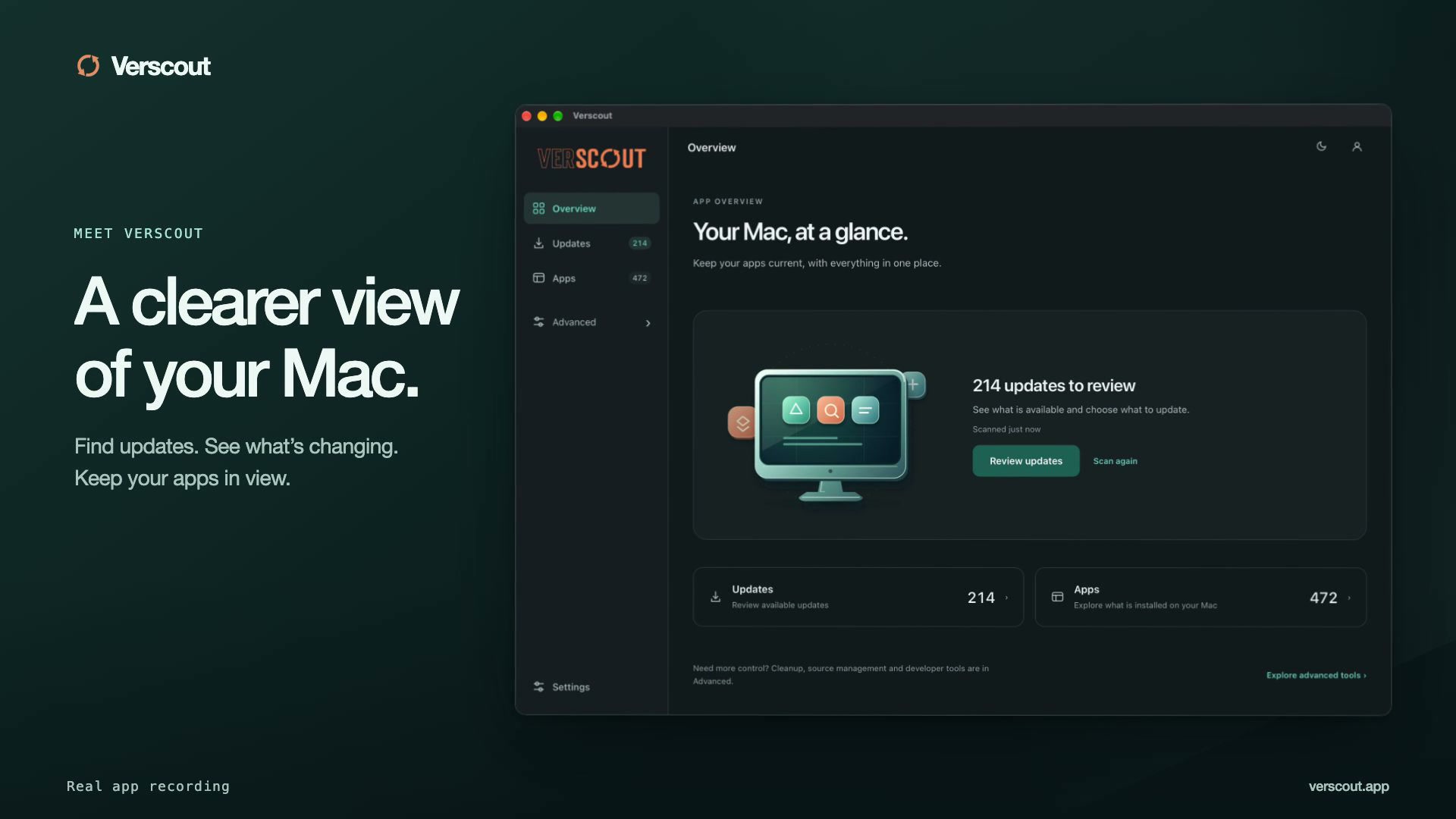 Watch the intro · 46s
Features
Everything you need to stay current
Verscout replaces the patchwork of terminal commands and manual checks with a single, intelligent dashboard.
See it in action
A closer look at the real app.
Choose a feature. Follow the details in a real Mac recording.
Start with a clearer picture.
Watch Verscout scan supported apps and package sources from one place.
Playback starts when you choose Play.
Read the visual transcript
The real Verscout scan progresses through its source list, with sources turning green as they finish. The recording includes app stores, package managers, browser plugins and other supported categories. This 50-second excerpt is condensed to 10 seconds and labeled Edited for length.
Recorded on a real Mac on September 25, 2026. Selected successful workflows are shown. Scan and update sequences are edited for length; other clips play at recorded speed. Results vary by app and update source.
Unified Dashboard
See every package across all managers in one view. No more juggling terminals and app stores to check for updates.
Security Scanning
Combines package advisory lookups with macOS trust signals so you can review version risk before you update.
One-Click Updates
Update individual packages or batch-update everything. Verscout handles sudo prompts and package manager commands for you.
Analytics & History
Track your update cadence over time. See which packages update most often and how quickly you adopt new versions.
Background Scheduling
Set it and forget it. Verscout runs periodic scans and notifies you through the menu bar when updates are available.
iCloud Settings Sync
Coming in the next release
Your Verscout preferences, pinned packages, and update history will sync via iCloud Drive across your Macs.
Coverage
12+ package sources, one scanner
From command-line tools to creative suites, Verscout monitors every category of software on your Mac.
Compare features and prices
Compare published features, prices, and license terms for five Mac utilities. This is not a lab performance benchmark.
Checked September 25, 2026
Scroll horizontally to compare all five products. Keyboard users can focus the table and use the arrow keys.
| Feature or price | VerscoutApp & package updater | UpdatestApp & Homebrew updater | AppVaultApp & license manager | LatestFree app updater | CleanMyMacMac maintenance suite |
|---|---|---|---|---|---|
| Price & license | $6.99 / yearUp to 3 Macs; annual auto-renewing subscription. | $12.99 once3 Macs; perpetual core license. | $24.99 once3 Macs; lifetime license. | FreeOpen source; no paid license. | From $39.95 / year1 Mac; typical price published by MacPaw. Regional checkout prices vary. |
| Other plans | One annual planAll paid features included. Cancel before renewal. | $24.99 once for 10 MacsOptional Network service: free preview; a separate subscription is planned. | Updates within 1.x includedLicense details limit free updates to the current major version. | No subscriptionOptional donations. | Monthly & one-time optionsAlso offers 2-Mac and 5-Mac plans. One-time plans have different upgrade terms. |
| Try before buying | 21 daysNo card required. Scanning stays free after the trial. | 14 daysNo payment required to start. | 3 daysEmail required; no card. | Always freeNo trial expiry. | 7 daysSubscription trials renew unless cancelled. |
| App update sources | Homebrew, App Store, Sparkle, Electron & GitHubAlso tracks vendor-managed apps, with supported updater handoffs. | Homebrew, App Store, Sparkle, Electron & GitHubManual sources and optional Network discovery. | Homebrew, App Store, Sparkle, Electron & direct downloads | Sparkle, App Store & Homebrew Cask checksHomebrew checks were added in v0.10. | Integrated app updaterPer-source coverage is not listed on the cited product page. |
| Developer packages | Homebrew formulae, pip & global npm packages | Homebrew formulaepip and npm support not documented in the cited pages. | Homebrew formulae & casksSearch, install, update and adopt through the interface. | Homebrew Cask app checksFormula, pip and npm management not documented in the cited pages. | Not documentedPackage-manager support is not listed on the cited product page. |
| Installing updates | Batch updates for supported sourcesApp Store and some vendor apps use handoffs; a detected update is not always automatic. | One-click supported updatesHomebrew adoption and formula updates. | Batch updates & version freezeCan adopt manually installed apps into Homebrew. | In-app updates where supportedApp Store installation on recent macOS needs the v0.12 beta workaround; see release notes. | Updates within ApplicationsPart of the broader maintenance workflow. |
| Additional tools | Bundle trust checks & package vulnerability advisoriesCoverage depends on the app and package ecosystem. | Signing, notarization & permission details | License vault, snapshots, spend tracking & app offloading | Release notes for installed and available updates | Junk cleanup, malware removal & app uninstalling |
- Prices are in USD, before applicable taxes. Billing periods and Mac limits differ; one-time licenses are not annual subscriptions. Confirm current prices and terms with each vendor.
- CleanMyMac uses MacPaw’s published typical 1-Mac annual price, not a converted local checkout price. Its direct-store and App Store editions can differ.
- Features reflect the linked product pages and release notes. “Not documented” means the cited sources do not establish support; it does not mean the feature is absent.
- This comparison does not measure detection accuracy, update success rate or scan speed. Source lists alone do not establish which app will find more updates on your Mac.
Pricing
Simple, honest pricing
Try the desktop app free for 21 days.
One subscription covers up to 3 Macs. Prices are in USD.
Annual
Up to 3 Macs
US$6.99 billed once a year. Renews automatically at the disclosed annual price until cancelled. Applicable taxes are shown at checkout.
- Full access to every feature
- Security and trust checks before updating
- One-click updates with admin auth when needed
- Background scan scheduling
- Version history and release-note lookups
- Email support
- All updates while subscribed
- Use on up to 3 Macs
Cancel in the billing portal before renewal. Access continues through your paid period. See our subscription terms, refund policy, and privacy policy.
Download the 21-day free trial before subscribing. No credit card required for the trial.
5,400+
Homebrew packages
12
Update sources
Local
First scanning, no account
macOS 13+
Ventura & later
FAQ
Frequently asked questions
What macOS versions are supported?
The current desktop release is built for Apple Silicon Macs (M1 or later), with macOS 13 (Ventura) or later. Recovery space release also checks filesystem support and safely refuses when the required protection is unavailable.
What happens after the 21-day trial?
You can keep scanning and reviewing your software inventory, but paid update actions remain locked until you activate a license.
Does Verscout collect or send my data?
Your inventory is scanned locally. Update checks contact publishers, registries and the shared catalog; licensing contacts Lemon Squeezy. Active subscribers can separately opt in to share app names, bundle IDs and public update-source links to improve the catalog. Sharing is off by default and excludes installed versions, usage history and local paths. You can stop sharing and request deletion in Settings. See the privacy policy for network logs, retention and optional iCloud sync.
Can I use my license on multiple Macs?
Yes. One US$6.99 annual subscription covers up to 3 active Macs. Deactivate a Mac before transferring its activation to another. The subscription renews automatically each year unless cancelled.
How does one-click update work?
Verscout picks the supported update path for each source: Homebrew and package-manager commands for managed packages, App Store handoff for App Store apps, and feed-backed install flows for supported standalone apps.
What package sources does Verscout support?
Verscout covers Homebrew, pip, npm, Mac App Store, Setapp, Adobe, Microsoft, JetBrains, Docker, Steam, 1Password, and standalone macOS apps with Sparkle, Electron, GitHub, or cask fallback strategies.
Is Verscout a MacUpdater replacement?
Yes. Verscout is built for the same core job, but with a stronger focus on automated discovery, source-specific update execution, compatibility warnings, and trust checks before you update.